
Cost: $1250.00 (3 person minimum)
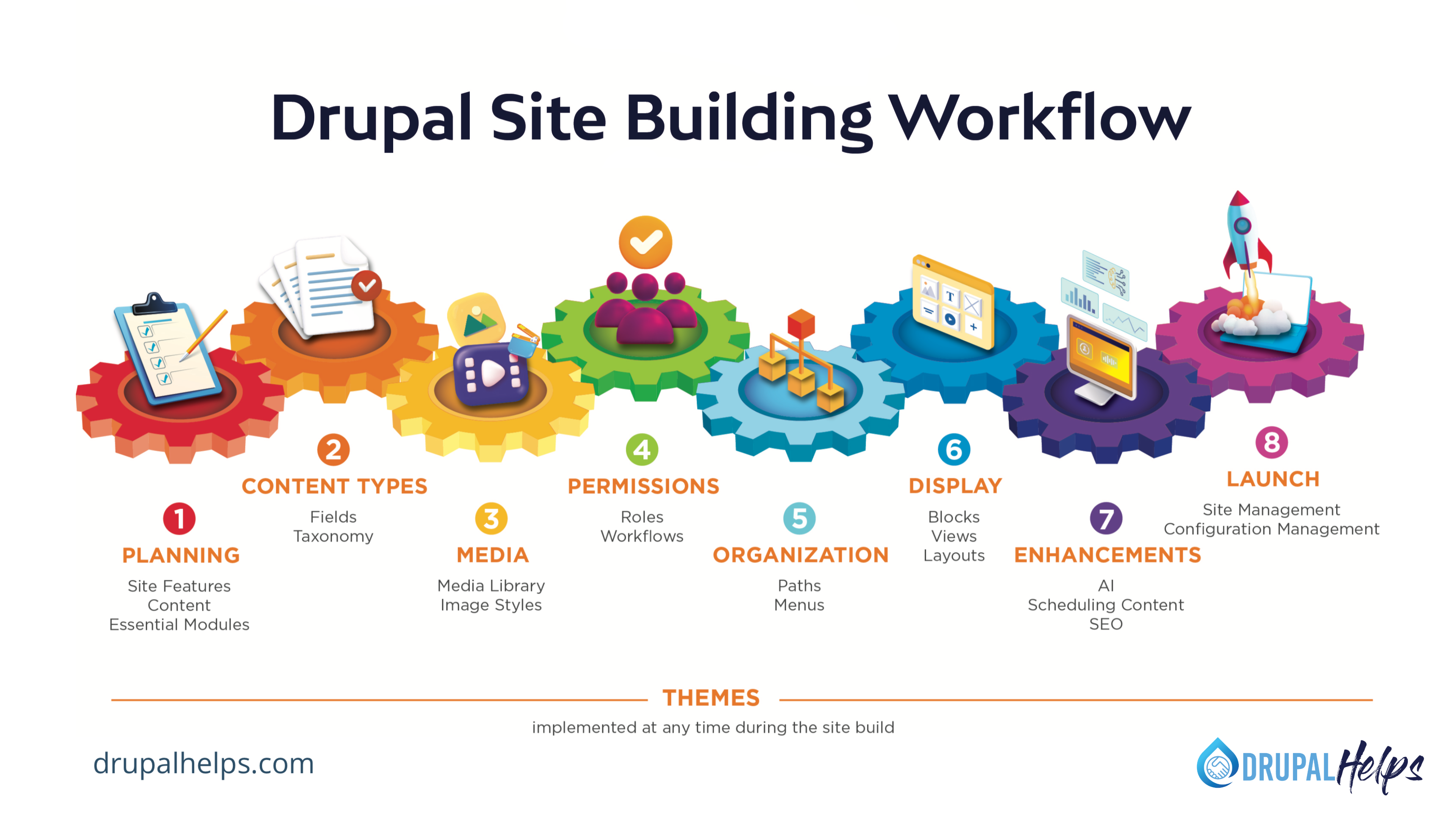
This 3-day course provides a broad introduction to the essential skills necessary for managing content and configuring Drupal websites. Hands-on labs will include work with Content Types, Taxonomy, Views, Menus, and many useful modules. The third day levels up configuring Drupal into a very robust CMS.
This class is 3 days via Zoom. Typically it runs 3 days in a row but can be broken up for teams. We can also come to you! Ask us about on-site training (below).
What you'll build
Over 2 days you'll build a working website for the Millbrook Community Food Network, a nonprofit that runs 4 food pantries, a community kitchen, a warehouse, and a mobile pantry van. Millbrook needs about 400 volunteer shifts filled every month, and right now it manages them with a PDF calendar that 3 different people edit. You'll build the replacement: a site where volunteers find a shift that fits their skills and schedule, coordinators post shifts without asking permission, and nothing goes public until the communications lead approves it. Millbrook and everyone in it are fictional. The problems aren't.
I've built this site, in one form or another, for real nonprofits more times than I can count.
How this course is different
Most Drupal courses are a feature tour. This one is a client project. Each module opens with a note from Dana Okafor, Millbrook's executive director, telling you what she needs from that step. Each module closes with a sign-off checklist, the same kind I use with my own clients before I move to the next step. By the end you'll have built a site and practiced running a build, which is the partnobody teaches.
Who it's for
Site builders, content editors moving into site building, small agencies, and nonprofit and government teams. You don't need to write code. You do need to be comfortable in a web browser and willing to type a few commands into a terminal when I give them to you.
The week this course belongs to...
Site Building is days 1 and 2 of the DrupalHelps training week. Layout and Theming (day 3) teaches you how the Jarvis theme is built and has you extend it with your own components. Module Development (days 4 and 5) adds a volunteer shift signup module to the Opportunity content type you'll build in Module 2. Every course starts from the site the previous one finished, so the Millbrook site keeps growing all week. You can also take any course on its own: each one has a recipe that sets up the site it expects.
Advanced Site Building
- Advanced Configuration
- Drupal AI
- Configuring Media - Better Image Styles, a better View, Usage and more.
- Configuring Text Formats - Linking, Inline Styles, Media with image styles and more.
- Configuring Layout Builder - Adding and configuring contributed modules to make Layout Builder work like it does on this site.
- Adding Social Media links
- Configuring an Advanced Theme
Should I Take this Course?
This course is perfect for those who are:
- newly responsible for a Drupal website,
- planning to build a new site in Drupal
- preparing for delivery of a new Drupal development
- looking to firm up Acquia best practice knowledge for Drupal Certification
Recommended Experience
A basic understanding of the following technologies is helpful, but not required:
- Authoring content using a Content Management system
- Experience with Drupal's administrative interface