

There’s an AI revolution going on in Drupal, and we’re going to talk some more about it today. I’ve taught over 50,000 people how to use Drupal over the last about 13 years, and I can’t tell you how excited I am to be in Drupal right now.
Well, we’ve been in the middle of a bit of a series on AI and the new features coming. You should watch those videos. I want to give a bit of an overview and a comparison of what’s currently available in the development version of the AI module (https://drupal.org/project/ai).
Watch the Video
When you first install the AI module and turn a bunch of things on, click on Extend and look at AI. You’ll find options like API Explorer, integration, content editing tools, core, ECA integration if you have that, external moderation logging, translation, validations, and automators—which are really fun. Check out last week’s video on that. Then, you have to choose an AI provider and, of course, enter your credentials. Options like Agents, Assistant API, and an AI chatbot are also available. I demonstrated that chatbot in the last video.
Going to Configuration and clicking on AI reveals even more options. Of course, you need to update your provider settings. I’m using OpenAI for everything I’m doing. One of the fun features here, beyond what we’ve already covered, is the AI API Explorer. This includes chat generation, text-to-image, text-to-speech, speech-to-text, embeddings, moderation, audio-to-audio, and speech-to-speech. Not all of these features will work with OpenAI; you’ll need other providers specifically for some video options.
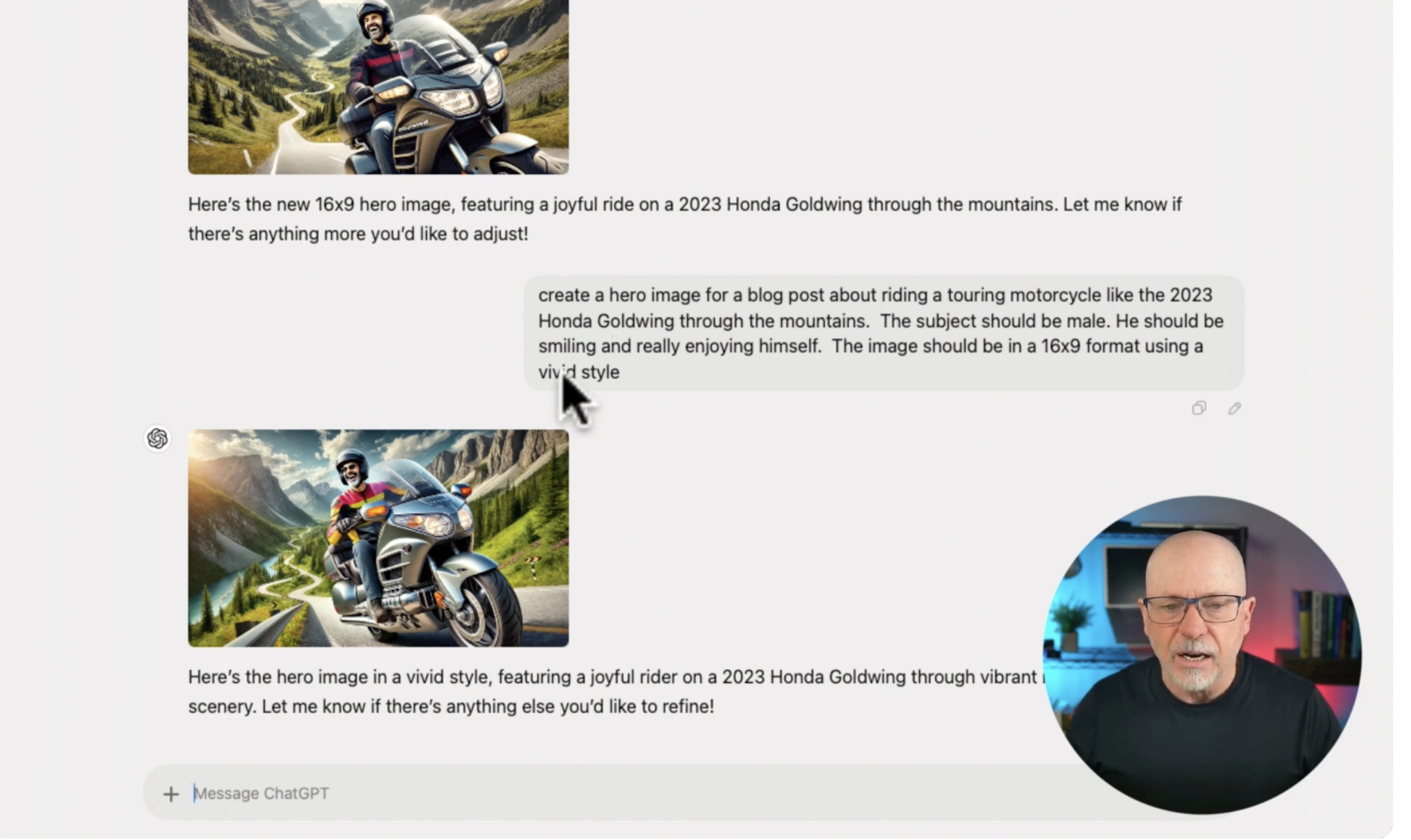
Let’s try the text-to-speech feature for a moment. I’ll compare it with Chat GPT 4.0 and see how it performs directly in Drupal. I’m using the DALL-E 3 model, part of Chat GPT. I’ll enter a prompt: “Create a hero image for a blog post about riding a touring motorcycle, like a 2023 Honda Goldwing, through the mountains. The subject should be a smiling male enjoying himself. The image should be in a 16x9 format using a vivid style.” Now, the vivid style isn’t necessary in the Drupal chat settings, so I’ll skip it here. The cool part is that if you have the media module installed—and you should—you can save this to media instantly. I’ll click Generate Image.
While that’s generating, I’ll switch over to Chat GPT. I ran a similar prompt there, and the output was impressive. The AI generated a great representation of a Honda Goldwing, though it looks more like the 2018 model than the 2023 one. Still, the image features a happy rider in the mountains, which is what I asked for. The style is vivid, just like I wanted for the Drupal output. Notably, the rider looks like he’s having a fantastic time—almost like me, though, maybe not quite!
Now, let’s check what Drupal generated. This one turned out to be the best so far after about eight tries. While it’s not an exact Goldwing, it’s close enough—a decent representation of a touring motorcycle, even if not perfect. The rider is enjoying the mountains, though he’s not wearing a helmet. Maybe he’s somewhere like Indiana or Ohio where helmets aren’t required—but, kids, always wear a helmet!
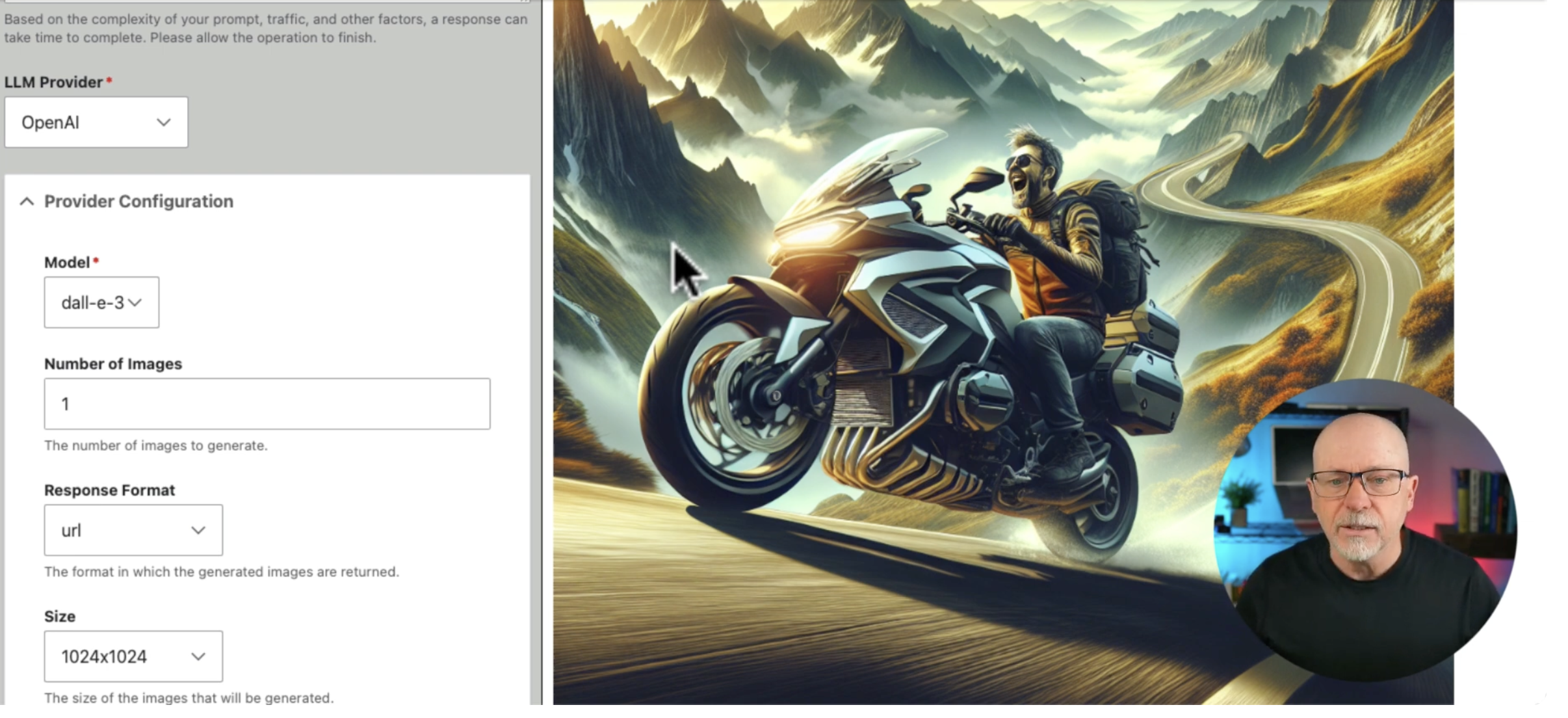
I’ll head over to Content and Media to review previous attempts. Here’s another image from Drupal, though it wasn’t quite as accurate. That one was pretty off, but the latest try looks better—almost like a Goldwing, and the rider seems thrilled. There’s so much more to explore in the AI Explorer, and it’s incredible how Drupal and AI are advancing together every day.
In fact, another video just came out this morning on using AI to screen content before publication in Drupal; it’s a must-watch. This is an exciting time for Drupal! In the U.S., NedCamp is the next big Drupal camp, and I’m sure AI will be a hot topic there. I’ll be there too, so feel free to stop by and say hello.
Stay tuned for more on Drupal and AI, plus all the news around Drupal CMS, AKA “Starshot.” Although I’m a bit disappointed that the Experience Builder won’t be available soon, there’s always Drupal’s Layout Builder to explore. Check out OS Training’s course on getting it working - https://ostraining.com/courses/layout-builder-for-the-ambitious-site-builder/