
Most of my client sites exist in exactly one place: the production server. It's almost 20 sites. A few have local copies. Very few are in a repository. I don't host on Acquia or a similar platform, so there's no built-in dev, test and production. The sites run on cPanel servers I manage, and several are still on Drupal 10.
Drupal 10 security support ends December 9, 2026.[1] This month I'm fixing how those sites are managed, and the deadline sets that update order.
I'm not the only one
In the week of November 15, 2026, 230,762 sites reported running Drupal 10 to drupal.org. That's 36% of the 640,775 sites that reported that week.[2] Those numbers only count sites with the Update Status module turned on, so the true total is different. The share is still hard to ignore.
The more uncomfortable figure: 55,278 of those sites were on Drupal 10.5 or earlier. Security support for 10.4 ended in December 2025, and for 10.5 the week of June 29, 2026.[1] For those sites, December 9 isn't the deadline. It already passed.
How a site ends up living only on production
Nobody decides to run a site with no version control. It usually happens when the budget covered the build and not the workflow. Sometimes, the site launched years ago, before anyone set up a local copy. It works, and the client would rather not pay for anything they can't see.
That's many small Drupal shops I know, and I'm including mine. The clients usually have no idea. They assume someone has a copy.
What December 9 actually means
A Drupal 10 site doesn't stop working on December 10. It stops getting security fixes. No new Drupal 10 releases will be made after December 9, so every vulnerability found after that date stays open on every Drupal 10 site.[1][3]
The same week, Drupal 12.0.0 and Drupal 11.5.0 ship. Drupal 10.6 is the last Drupal 10 minor release. Drupal 11 is supported until early December 2028, so moving to 11 buys real time.[1]
Why "we'll patch it later" stopped working this year
The pace of security work changed in 2026. According to the Drupal Association, Drupal published 256 security advisories across core and contributed modules from June through October 2026. That's more than the 250 published in the previous 30 months combined.[4] On November 2, the Drupal Security Team announced that security coverage for core minor versions drops from 12 months to 8, starting in 2027.[4][5]
Here's what that looks like on a calendar. On November 18, Drupal released SA-CORE-2026-017, a highly critical remote code execution flaw in core. The Security Team later reported it was exploited on live sites as early as November 19.[6] Drupal 10.6.22 fixed it. A flaw like that found after December 9 won't get a Drupal 10 release at all.
Contributed module security releases can land any Wednesday. Core's window is the third Wednesday of each month, and highly critical fixes can ship outside it.[1][4] A site that only lives on production, where nobody can test an update safely, can't keep up with that pace. The deadline makes that problem impossible to put off.
For a nonprofit or a small government agency, an unsupported CMS is a liability conversation with their board or IT office. Have it before something happens.
Why you can't just run the upgrade
Upgrading a site that only exists on production gives you 2 options: test on the live site, or upgrade and hope. Neither one is acceptable for a client.
So the upgrade is the reason to fix the workflow first:
- Capture the site into Git.
- Build a local copy from that repository.
- Upgrade to Drupal 11 locally.
- Test on staging.
- Deploy to production.
Once a site is captured, every future update follows the same path. The effort goes into the first one.
The workflow
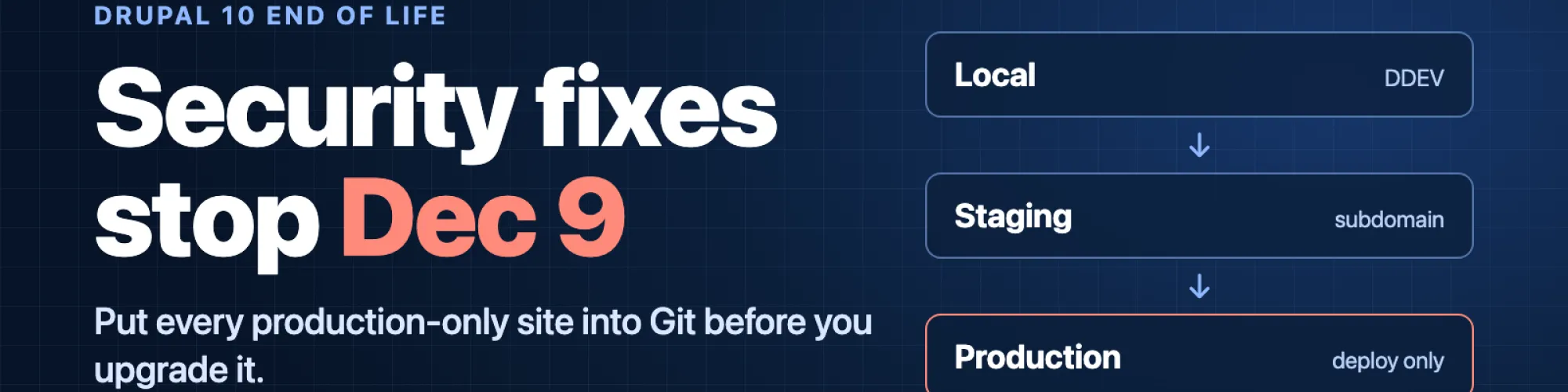
- Local: DDEV on my machine. All updates and code changes.
- Staging: A cPanel subdomain. Testing against a copy of real content.
- Production: The live cPanel account. Deploys only.
The routine for every update:
- In DDEV, run
ddev composer update,ddev drush updatedbandddev drush config:export, then test. - Commit
composer.json,composer.lockand the exported config. - Deploy to staging and check the site there.
- Deploy the same commit to production.
A deploy, on staging or production, runs only this:
git pullcomposer install --no-dev --optimize-autoloadervendor/bin/drush deploy
drush deploy runs the database updates, imports the config, rebuilds the cache and runs any deploy hooks, in that order.
Production never runs composer update. That rule does more for stability than anything else in my playbook. composer update decides which versions to install. composer install installs exactly what you already tested. The lock file is the contract between staging and production, and running composer update on the server breaks it. One condition: DDEV has to match the host's PHP version, or Composer can resolve different packages. I pin the host's version in composer.json with config.platform.php.
I learned this one again in November. A composer update on a client's staging server pulled in a new release of Robo, a library Drush depends on, and that release was broken. The site kept serving pages, but Drush wouldn't start, so the database updates couldn't run. The fix was one line in composer.json to block Robo 5.2 and later, tested locally first, then a clean rebuild of vendor/ from the lock file. The same release had already broken my local copy, which is exactly where a bad update belongs.
6 decisions that keep it simple
The risk with a project like this is turning a safety project into a platform migration. Each of these decisions is there to prevent that.
- A GitHub organization as the primary home, not a self-hosted Forgejo. Existing repos stay where they are, new client repos go into the org, and moving old ones is optional.
- Repo ownership is decided per client, up front. Some clients will want the repo in their own account. Settle that before the first commit. I prefer it in mine.
- My shared theme stays private for now. Client sites pull it in through Composer.
- Stay on cPanel. Containerizing every site at the same time would turn a safety project into a much bigger one. The servers already work.
- One main branch. A small shop doesn't need a branching model built for a large team.
- Don't move working Layout Builder sites to Canvas just to adopt a new theme. The upgrade is the project. A redesign is a different project.
The repo blueprint
Every captured site gets the same starting files: a .gitignore that keeps out vendor/, uploaded files and local settings. A settings.php that loads an environment-specific settings.local.php, which stays out of Git, so database credentials and the hash salt never go in the repository. Drush aliases for staging and production. DDEV config with a provider for pulling the database and files. A deploy script.
The capture itself is a 12-step process. The most careful step is the production docroot swap, where the live site moves from its old folder to the Git checkout. That step gets a backup, a planned window and a rollback.
Where AI fit, and where it didn't
Claude Code does the repetitive capture work: setting up repositories, writing the settings pattern, generating Drush aliases, inventorying what's on each server. On 20 sites that adds up.
I keep the credentials, make the decisions and approve every production deploy. I enforce one rule that came from experience: every command that touches a live server gets checked before it runs, and read-only checks always come first. Look at what's there before changing anything.
If you're in the same spot
The short version is below. For the upgrade steps in detail, see Drupal 10 Ends December 9: The Freelancer's Client Upgrade Checklist.
- Inventory every site and its Drupal version this week.
drush statusshows the core version. - Put the Drupal 10 sites at the top, and anything on 10.5 or earlier above those.
- Back up the database and files for each one before touching anything.
- Capture each site into Git with a working local copy.
- Upgrade to Drupal 11 locally, test on staging, then deploy.
- Tell your clients what you're doing and why. It's a good conversation to have.
You don't need a hosting platform to do any of this. You need a repository, a local environment and the discipline to never run composer update on production.
If you build Drupal sites, start with the checklist above. Inventory first, and do it this week.
If you own a Drupal site and aren't sure which version it runs, ask your developer this week. If you don't have one, or don't get a straight answer, ask me.
References
- Drupal.org, "Drupal core release schedule," updated November 24, 2026. https://www.drupal.org/about/core/policies/core-release-cycles/schedule
- Drupal.org, "Usage statistics for Drupal core," week starting November 15, 2026. https://www.drupal.org/project/usage/drupal
- Acquia, "Drupal 10 end of life FAQs." https://docs.acquia.com/service-offerings/drupal-10x-end-life-faqs
- Promet Source, John Lutz, "Drupal 10 End of Life: What Public Agencies Should Know Before December 9," November 16, 2026, citing Drupal Association figures. https://www.prometsource.com/blog/drupal-10-end-of-life-public-agencies
- Drupal Security Team, PSA-2026-11-02, November 2, 2026. https://www.drupal.org/psa-2026-11-02
- Drupal Security Team, "Drupal core - Highly critical - Remote code execution - SA-CORE-2026-017," November 18, 2026. https://www.drupal.org/sa-core-2026-017