
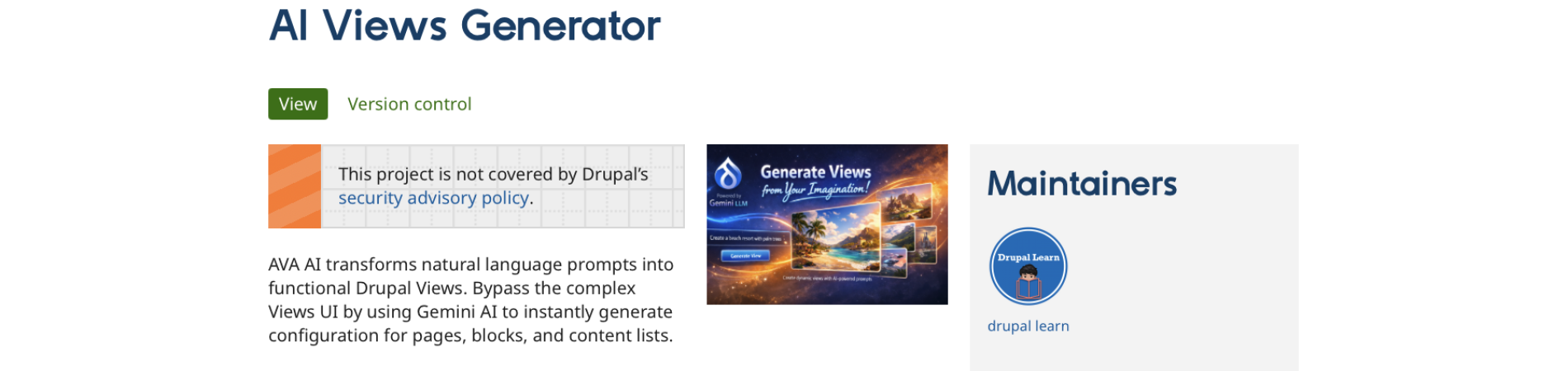
Drupal’s Views module offers powerful ways to query and display content. AVA takes it further by introducing AI to how Views are built, configured, and used.
Instead of crafting complex filters and conditions manually, AVA enables natural language interaction with Views and provides AI-assisted configuration tools to streamline building and refining content listings.
What Is the Drupal AI Views (AVA) Module?
Drupal AI Views (AVA) is an extension for the core Views system, integrating AI capabilities into the Views building and management experience. It bridges the gap between traditional configuration screens and conversational, AI-driven assistance.
Key ideas behind AVA:
- Natural Language Architecting: Simply type "Create a grid of the latest 3 articles with images" and let the AI write the YAML configuration for you.
- Intelligent Field Mapping: Automatically detects and configures standard fields (Title, Body, Images) and ensures they use the correct Drupal 11 rendering plugins.
- Security-First Generation: Built-in guardrails prevent the AI from accessing sensitive system tables (like Users or Sessions), ensuring site integrity.
- Instant Page & Block Creation: Dynamically generates paths and menu entries based on your description.
AVA doesn’t replace the Drupal Views module. Instead, it extends and augments it with AI-based tools.
Core Features of AVA
AI-Assisted View Creation
AVA allows description of the desired output in plain language, then uses AI to propose a starting View configuration.
- Describe content goals in everyday language.
- Let the AI propose content types, filters, and sorts that match the description.
- Use proposals as a base and fine-tune them with the usual Views UI.
Integration with Google Gemini
At the time of this post, AVA relies on Google Gemini for language understanding and generation. It is not integrated into the broader Drupal AI module and can not use a different LLM. You can use the free tier of Gemini, but the number of view generations will be limited. In writing this tutorial, I probably ran 20 tests on the free tier and did not hit any limits.
- Configure API keys and providers in the AVA AI configuration area. (You'll see a menu item next to the Help menu if you're using Claro)
Benefits of Using AVA in Drupal Projects
Lower Barrier to Entry for Views
Views are extremely powerful but can be overwhelming for new or non-technical users. AVA helps reduce the learning curve by allowing natural language interaction when creating or modifying listings.
- Content editors can describe what’s needed instead of learning every Views option.
- Site builders gain a faster way to prototype and adjust complex Views.
Faster Prototyping and Iteration
Building complex Views often involves trial and error. AVA speeds this up by generating initial configurations that can be iteratively refined in the view.
- Generate a first draft View in seconds.
- Refine output in a conversational way (you can't edit a view, but you can generate one multiple times as you iterate).
- Reserve manual tweaking for fine details and edge cases.
More Discoverable Views Features
Many useful Views options remain unused simply because they are hard to find. With AVA, asking for a behavior prompts the AI to suggest underlying features to achieve the desired result.
- Reveal lesser-known filters or contextual filters.
- Prompt discovery of relationships and advanced sorting.
- Expose UX features like pagination or exposed filters through natural language prompts.
Consistent Configuration Patterns
AI-assisted configuration can help promote consistent patterns across Views in a site.
- Apply similar filters and sorts across related Views.
- Standardize how listings handle publication status, access, or language.
- Encourage a consistent structure for lists, grids, and other display modes.
Use Cases for AVA
Editorial Teams Building Content Listings
Editorial teams often need new lists, dashboards, or curated pages. Instead of relying solely on developers or advanced site builders, AVA empowers editorial roles to participate more directly in building Views.
- Request “a list of the latest news tagged with ‘Events’ for the homepage”.
- Adjust to “only show items from the last 30 days”.
- Add “display the author name and thumbnail image”.
Site Builders Prototyping Complex Data Views
For complex data models involving relationships and multiple entity types, AVA can propose initial configurations that handle much of the heavy lifting.
- Quickly generate a View of content grouped by taxonomy terms.
- Start a View that combines nodes with user data via relationships.
- Explore different approaches suggested by AI, then refine manually.
Training and Onboarding for Views
AVA can serve as a learning companion for those new to Views.
- Show which steps are taken under the hood when a natural language request is processed.
- Help new users connect familiar questions with the Views concepts that answer them.
How AVA Fits into the Drupal AI Ecosystem
Drupal’s AI landscape is expanding through modules that integrate large language models, intelligent content tools, and generative capabilities. AVA focuses specifically on the Views system.
- Complements other AI modules that help generate content, summaries, or metadata.
- Uses the same AI providers and configuration when possible, reducing setup duplication.
- Acts as one piece of a broader AI-assisted authoring and site-building workflow.
Getting Started with AVA
- Ensure the core Views module is enabled, since AVA extends Views.
- Install and enable the AVA module from the Drupal project page:
- Generate a Google Gemini API Key at https://aistudio.google.com .
- Look for the AVA/AI menu in your toolbar.
- Paste your API key in the settings page.
- Begin creating or editing a View and use the AI features to describe the desired output and refine it.
Best Practices When Using AVA
- Start with clear goals: Clearly state what type of content the View should show, how it should be filtered, and where it will be displayed.
- Review the resulting configuration: Inspect filters, fields, and relationships proposed by AI to ensure they match requirements and performance expectations. The module definitely struggles with Formatters in Media or Body fields. It's a bit hit or miss to be honest.
- Combine AI with expertise: Allow AVA to handle initial configuration, then apply Views knowledge to fine-tune UI, performance, and edge cases.
Limitations and Considerations
While AVA can streamline Views building, some considerations should be kept in mind.
- AI is suggestive, not authoritative: AI-generated configurations should be reviewed, especially on complex or high-traffic sites.
Model quality and configuration matter: The quality of AVA’s suggestions depends on the prompts. Here's and example that worked from the video:
create a 3 column grid view of the blog content type on a page. use the media_image field, title, body field. put the fields in that order. The media_image field should use the thumbnail formatter. Use the Embed Large 800x450 image style. The body field formatter should be trimmed and the output limit to 200 characters. Limit each page to 9 items. Order the view by date in descending order. Add a menu item called “Blog” in the main navigation menu.
Image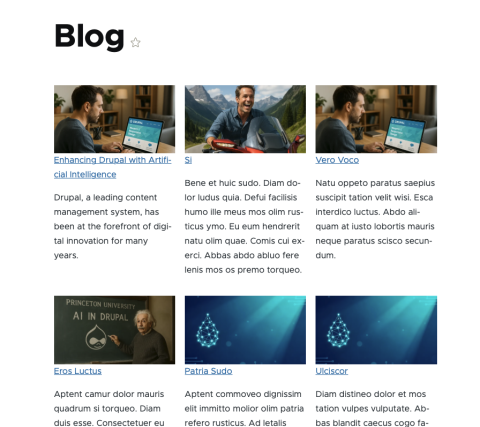
- It wasn't 100% but was impressive nonetheless (watch the video for more information)
- Permissions and access control: Not all users should have the same ability to create or change Views; maintain clear role permissions.
Why AVA Matters for Drupal’s Future
AI-assisted tooling is becoming a standard expectation in modern digital platforms. AVA reflects that trend inside Drupal, focusing on one of its most central and powerful systems: Views.
- Helps broaden participation in site building beyond deeply technical users.
- Encourages faster experimentation and iteration in content architecture.
- Serves as a model for how AI can enhance other configuration-heavy areas of Drupal.
Learn More and Contribute
Further details, documentation, and issue tracking for AVA can be found on the official project page.
From there, you can review implementation details, follow development progress, report issues, and contribute to the evolution of AI-assisted Views in Drupal.